> ## Documentation Index
> Fetch the complete documentation index at: https://docs.bfl.ml/llms.txt
> Use this file to discover all available pages before exploring further.

# FLUX Prompting Guide

> Prompt FLUX 3 Image with text, reference images, and optional bounding boxes.

export const PromptDisplay = ({prompt}) => {
  const [copied, setCopied] = useState(false);
  const copy = () => {
    navigator.clipboard.writeText(prompt);
    setCopied(true);
    setTimeout(() => setCopied(false), 2000);
  };
  return <div className="not-prose" style={{
    marginTop: "1rem"
  }}>
      <div style={{
    backgroundColor: "#1a1a1a",
    borderRadius: "1rem",
    padding: "1.25rem 1.5rem",
    display: "flex",
    flexDirection: "column",
    gap: "1rem"
  }}>
        <p style={{
    color: "#e5e5e5",
    fontSize: "1rem",
    lineHeight: 1.6,
    margin: 0,
    fontFamily: "inherit"
  }}>
          {prompt}
        </p>
        <div style={{
    display: "flex",
    justifyContent: "flex-end"
  }}>
          <button onClick={copy} style={{
    backgroundColor: copied ? "#3d8a5b" : "var(--aspen-evergreen, #486A58)",
    color: "#fff",
    border: "none",
    borderRadius: "0.375rem",
    padding: "0.25rem 0.6rem",
    fontSize: "0.7rem",
    fontWeight: 600,
    cursor: "pointer",
    transition: "background-color 0.2s"
  }}>
            {copied ? "Copied!" : "Copy prompt"}
          </button>
        </div>
      </div>
    </div>;
};

Describe the image you want: the subject, setting, style, lighting, and composition. Refer to input images by position ("image 1", "image 2"), and add bounding boxes when you need to specify where elements go.

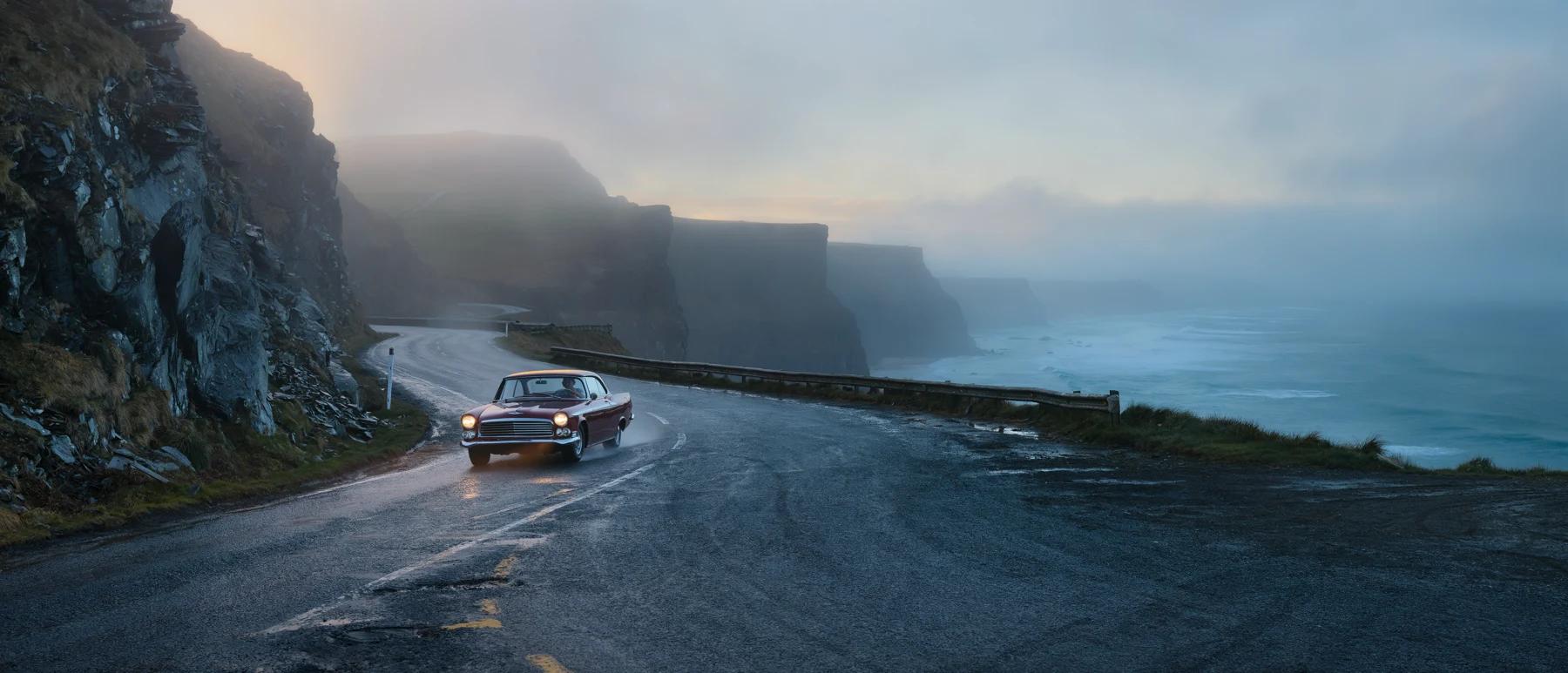
For example, this image came from the one-sentence prompt below it:

<Frame caption="FLUX 3 Image, 21:9">
  <img src="https://cdn.sanity.io/images/2gpum2i6/production/29a4ca87e605029fa9b98a14fa8c07f53a0c2ef2-1800x773.webp" alt="Ultra-wide shot of a vintage car with its headlights on, driving a wet coastal road between fog-covered cliffs and a turquoise sea at dawn" />
</Frame>

<PromptDisplay prompt="Ultra-wide cinematic shot of a fog-drenched coastal highway at dawn, cliffs on one side, turquoise sea on the other, a single vintage car with headlights on, soft golden rim light" />

## Start here

<CardGroup cols={2}>
  <Card title="Video generation" icon="film" href="/guides/prompting_video_overview">
    Prompt FLUX 3 for motion, camera behavior, clip continuation, and synchronized audio workflows.
  </Card>

  <Card title="Prompt basics" icon="pen" href="/guides/prompting_unified_basics">
    Describe a scene, specify text, and refer to input images.
  </Card>

  <Card title="Building a good prompt" icon="layer-group" href="/guides/prompting_unified_building">
    Structure, word order, and which details to write down.
  </Card>

  <Card title="Style, aesthetics & text" icon="palette" href="/guides/prompting_unified_style">
    Photographic and illustration styles, lighting, and legible typography.
  </Card>

  <Card title="Technical parameters" icon="sliders" href="/guides/prompting_unified_technical">
    Aspect ratios, resolution, and working without negative prompts.
  </Card>

  <Card title="Layout prompts" icon="vector-square" href="/guides/prompting_layout">
    Place each element with a global caption and a table of bounding boxes.
  </Card>

  <Card title="Image editing" icon="pen-to-square" href="/guides/prompting_editing_overview">
    Edit one image or combine several references in a single prompt.
  </Card>

  <Card title="Use cases" icon="images" href="/guides/prompting_unified_usecases">
    Photorealism, typography, style transfer, and more, with example prompts.
  </Card>
</CardGroup>

## Which model?

<Info>
  This guide is written for FLUX 3 Image. For FLUX.2 and FLUX.1 Kontext tips, see the model sections in [Prompt Reference](/guides/prompting_unified_reference#model-specific-quick-reference). To move an integration to FLUX 3 Image, see [Migrate from FLUX.2](/flux_3/flux3_image_migrate).
</Info>


This documentation is built and hosted on [Mintlify](https://mintlify.com), a developer documentation platform.