> ## Documentation Index
> Fetch the complete documentation index at: https://docs.bfl.ml/llms.txt
> Use this file to discover all available pages before exploring further.
# JSON Structured Prompting
> Use structured JSON prompts for precise control over complex scenes
You can write a FLUX.2 prompt as JSON to organize subjects, styles, and composition in your application. Send it as a string in the `prompt` field.
**When to use JSON**:
* Production workflows requiring consistent structure
* Automation and programmatic generation
* Complex scenes with multiple subjects and relationships
* When you need to iterate on specific elements independently
**When natural language works better**:
* Quick iterations and exploration
* Simple, single-subject scenes
* When prompt length isn't a concern
* Creative workflows where flexibility matters
Choose the format that is easier to maintain in your workflow and compare results with your own prompts.
## The Base Schema
```json theme={null}
{
"scene": "overall scene description",
"subjects": [
{
"description": "detailed subject description",
"position": "where in frame",
"action": "what they're doing"
}
],
"style": "artistic style",
"color_palette": ["#hex1", "#hex2", "#hex3"],
"lighting": "lighting description",
"mood": "emotional tone",
"background": "background details",
"composition": "framing and layout",
"camera": {
"angle": "camera angle",
"lens": "lens type",
"depth_of_field": "focus behavior"
}
}
```
## Building a Prompt Step by Step
Build a product shot incrementally to see how each element contributes.
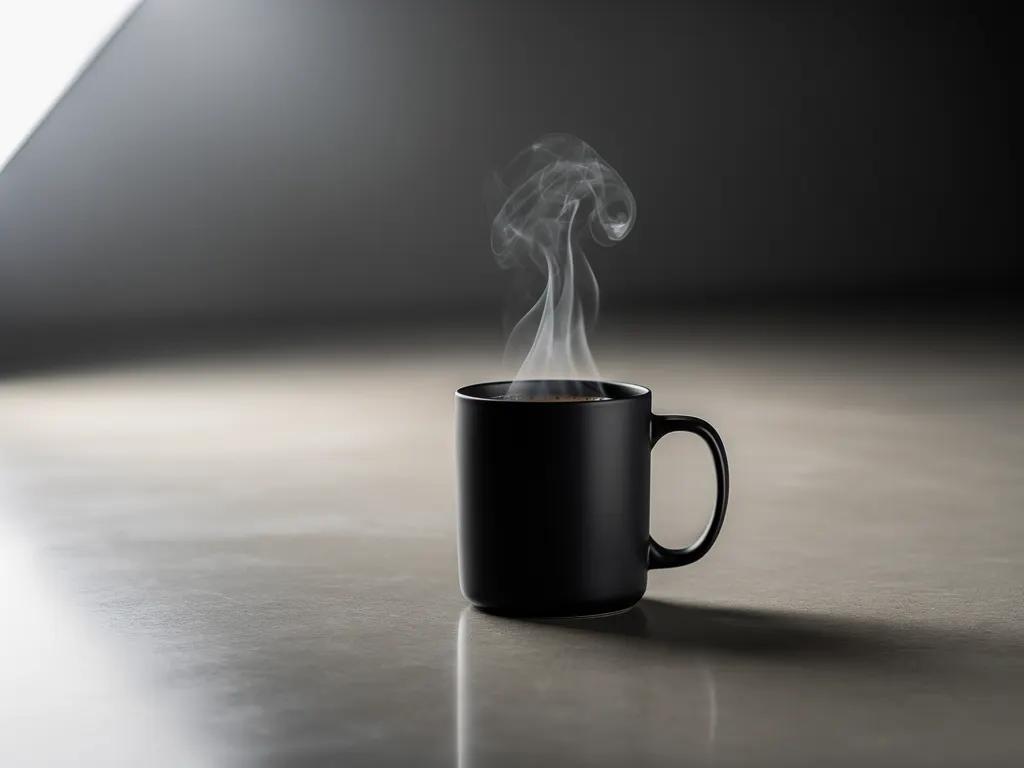
### Step 1: Generating a coffee mug
```json theme={null}
{
"scene": "Professional studio product photography setup with polished concrete surface",
"subjects": [
{
"description": "Minimalist ceramic coffee mug with steam rising from hot coffee inside",
"pose": "Stationary on surface",
"position": "Center foreground on polished concrete surface",
"color_palette": ["matte black ceramic"]
}
],
"style": "Ultra-realistic product photography with commercial quality",
"color_palette": ["matte black", "concrete gray", "soft white highlights"],
"lighting": "Three-point softbox setup creating soft, diffused highlights with no harsh shadows",
"mood": "Clean, professional, minimalist",
"background": "Polished concrete surface with studio backdrop",
"composition": "rule of thirds",
"camera": {
"angle": "high angle",
"distance": "medium shot",
"focus": "Sharp focus on steam rising from coffee and mug details",
"lens-mm": 85,
"f-number": "f/5.6",
"ISO": 200
}
}
```
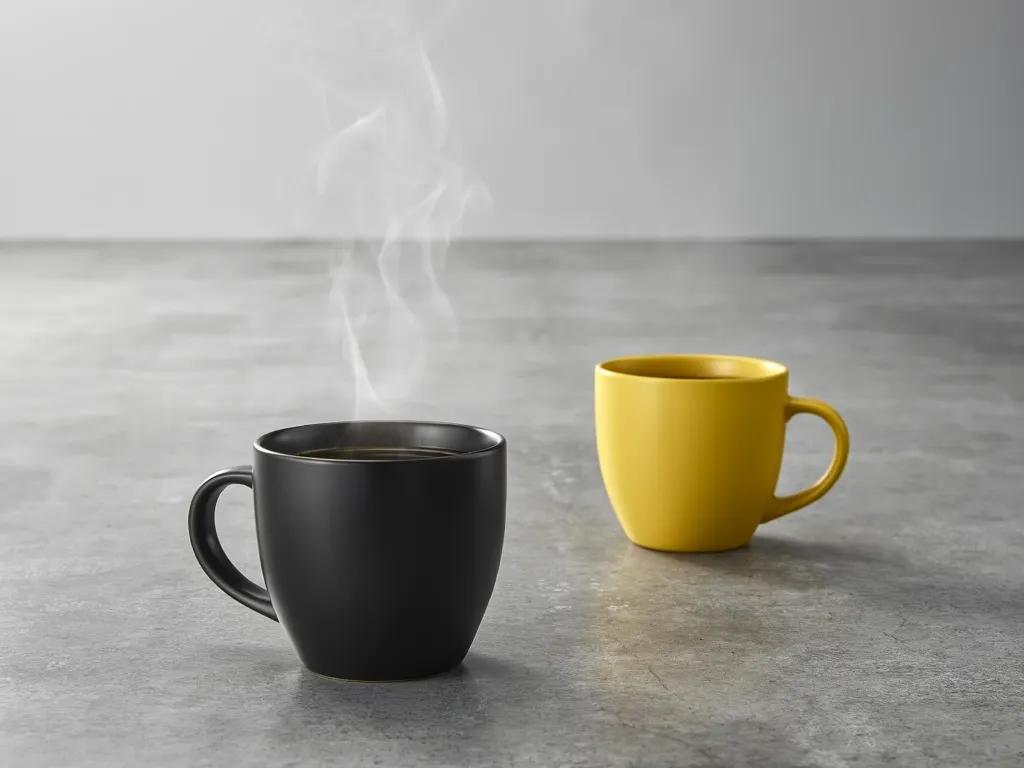
### Step 2: Adding a second mug in a different color
```json theme={null}
{
"scene": "Professional studio product photography setup with polished concrete surface",
"subjects": [
{
"description": "Minimalist ceramic coffee mug with steam rising from hot coffee inside",
"pose": "Stationary on surface",
"position": "Center foreground on polished concrete surface",
"color_palette": ["matte black ceramic"]
},
{
"description": "Minimalist ceramic coffee mug, matching design to the black mug",
"pose": "Stationary on surface",
"position": "Right side of the black mug on polished concrete surface",
"color_palette": ["matte yellow ceramic"]
}
],
"style": "Ultra-realistic product photography with commercial quality",
"color_palette": ["matte black", "matte yellow", "concrete gray", "soft white highlights"],
"lighting": "Three-point softbox setup creating soft, diffused highlights with no harsh shadows",
"mood": "Clean, professional, minimalist",
"background": "Polished concrete surface with studio backdrop",
"composition": "rule of thirds",
"camera": {
"angle": "high angle",
"distance": "medium shot",
"focus": "Sharp focus on steam rising from coffee and both mugs in frame",
"lens-mm": 85,
"f-number": "f/5.6",
"ISO": 200
}
}
```
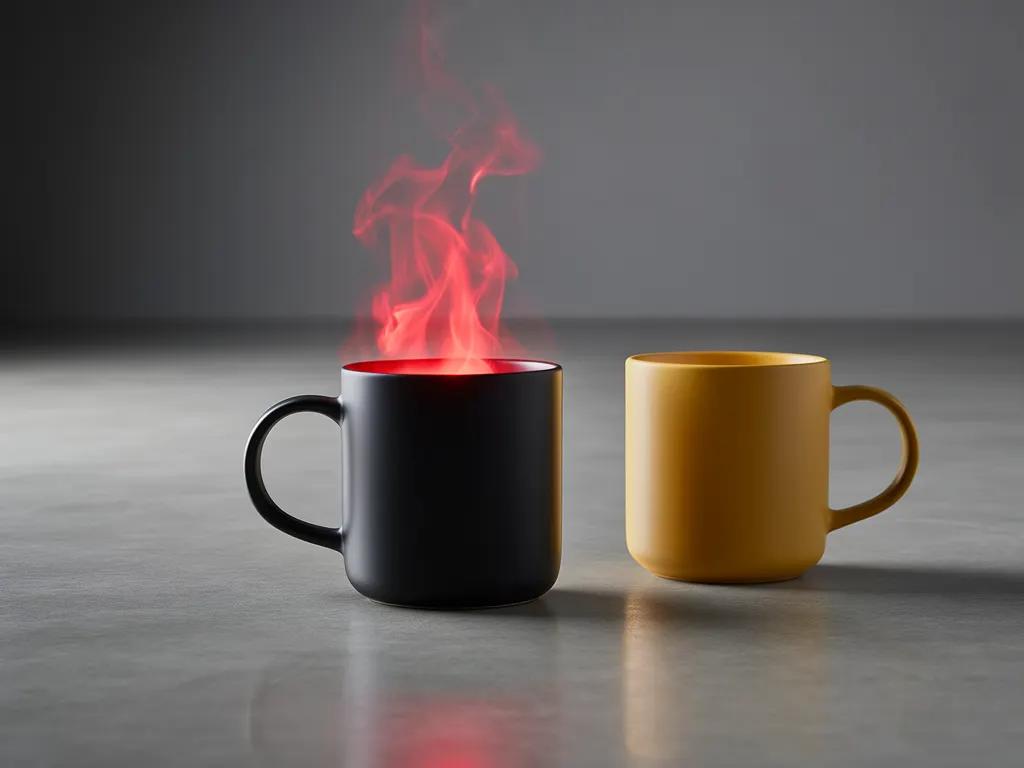
### Step 3: Change the color of the steam
```json theme={null}
{
"scene": "Professional studio product photography setup with polished concrete surface",
"subjects": [
{
"description": "Minimalist ceramic coffee mug with bright red steam rising from hot coffee inside",
"pose": "Stationary on surface",
"position": "Center foreground on polished concrete surface",
"color_palette": ["matte black ceramic", "bright red steam"]
},
{
"description": "Minimalist ceramic coffee mug, matching design to the black mug",
"pose": "Stationary on surface",
"position": "Right side of the black mug on polished concrete surface",
"color_palette": ["matte yellow ceramic"]
}
],
"style": "Ultra-realistic product photography with commercial quality",
"color_palette": ["matte black", "matte yellow", "bright red", "concrete gray", "soft white highlights"],
"lighting": "Three-point softbox setup creating soft, diffused highlights with no harsh shadows",
"mood": "Clean, professional, minimalist",
"background": "Polished concrete surface with studio backdrop",
"composition": "rule of thirds",
"camera": {
"angle": "high angle",
"distance": "medium shot",
"focus": "Sharp focus on steam rising from coffee and both mugs in frame",
"lens-mm": 85,
"f-number": "f/5.6",
"ISO": 200
}
}
```
You can include the JSON directly in your prompt, or flatten it into natural language. FLUX.2 understands both formats.
For precise brand color matching with hex codes, see [HEX Color Prompting](/guides/usecases_t2i_hex_color_prompting).
This documentation is built and hosted on [Mintlify](https://mintlify.com), a developer documentation platform.